

Outbound Veil
Outbound Veil checks what you type for personal information before you send it. It runs in the Mac menu bar, the checking happens on your Mac, and the text never leaves it.
The trial is the full app for seven days, with no account and nothing to enter. Buying is a single $29 payment. Not useful? Email ben@purplelink.llc within 14 days of purchase (terms). Version 1.0.1 · 36 MB disk image · macOS 14 or later, Apple silicon and Intel. First ten minutes: install, Accessibility and your first check.
Also in the Mac Suite: Outbound Veil, ModernTex and Vitae Plus for life, $39 once.
How it works
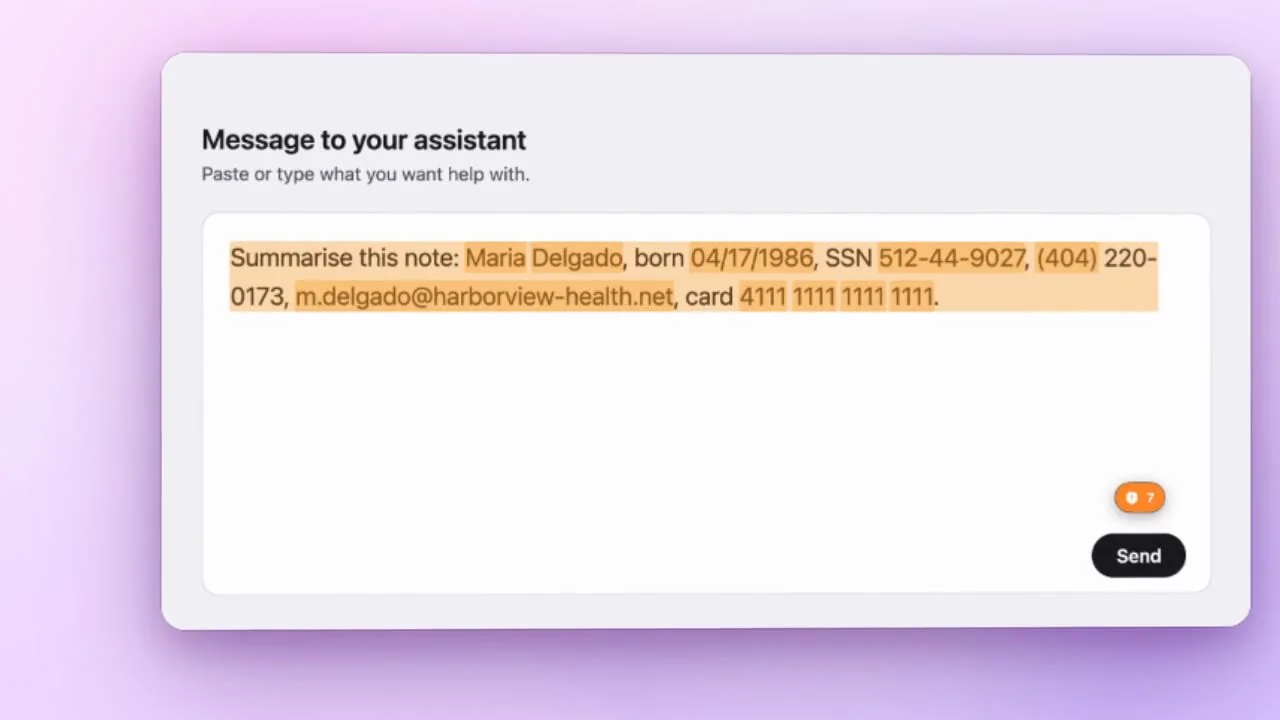
It watches the field you are typing in
Outbound Veil reads the text field that has focus, on your Mac, through macOS Accessibility. It does not look at other windows.
It shows a badge when it finds something
A small badge appears with the number of findings, and the matching text is highlighted where the app allows it.
You decide
Redact a finding, redact them all, or ignore them. In apps you choose, Outbound Veil can also hold the send key until you have decided.
Watch it work
Under a minute, from typing to redacted
A client note typed into a text field, personal details marked as they appear, then redacted in one click. Real footage of the app, with invented data.
A closer look
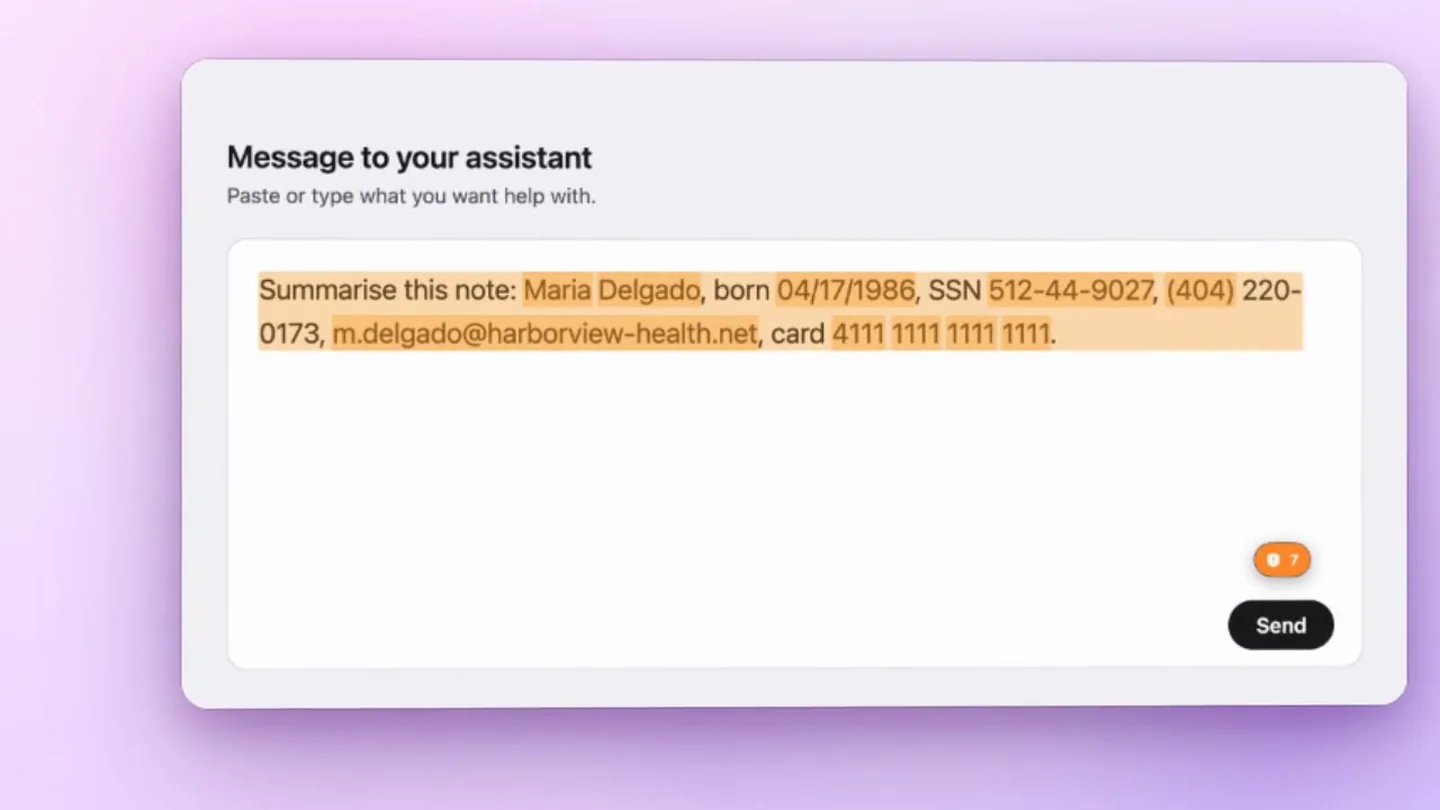
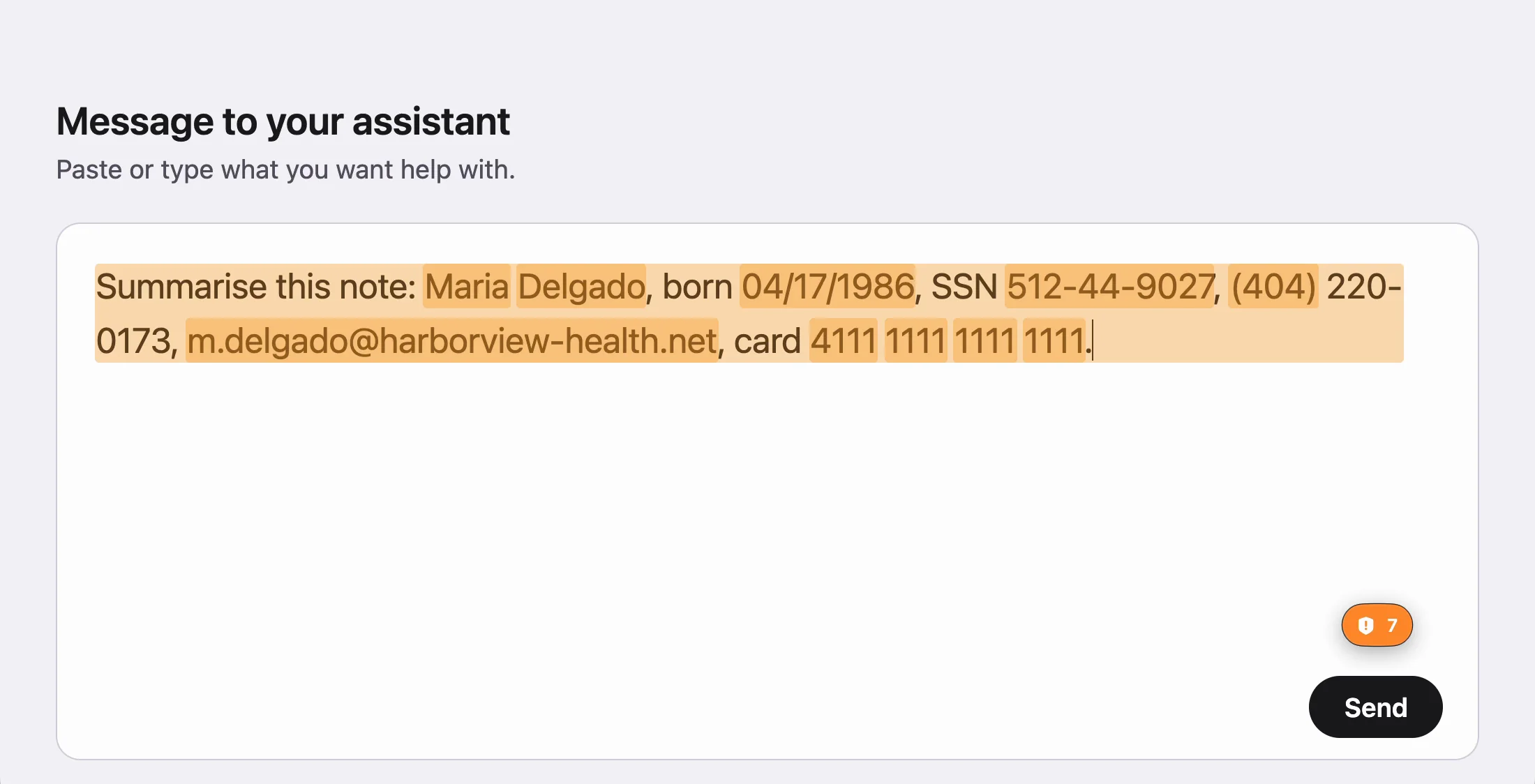
Marked where it is
Each finding is highlighted on the text itself, in a colour, opacity and style you choose, and the highlight follows the text as you edit. The badge shows how many findings the field has. Turn highlighting off from the menu or with Control-Option-H.
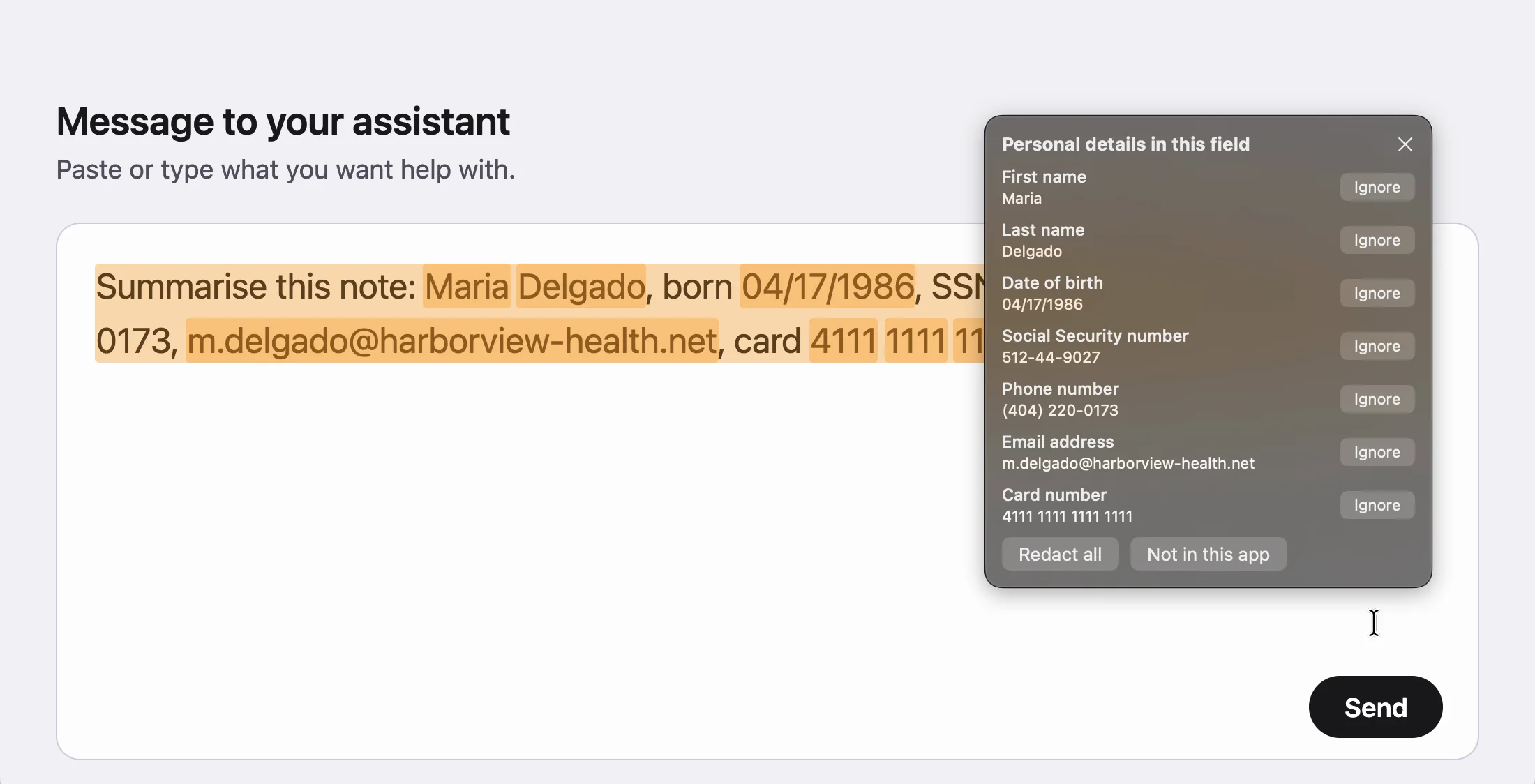
Every finding, in a list
Click the badge to see what was found and what kind of detail it is. Ignore a finding, redact all of them, or switch checking off for that app.
Redacted, still readable
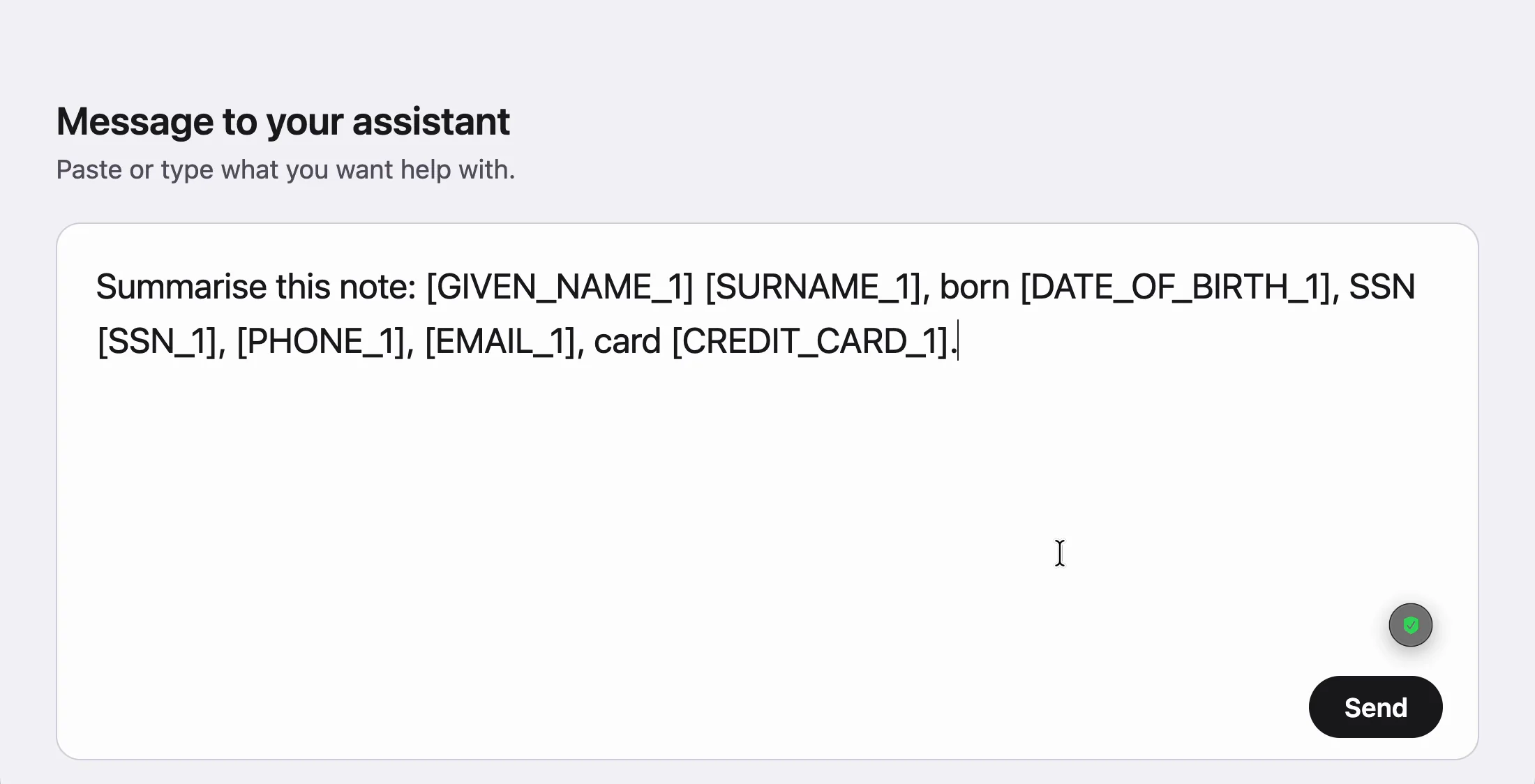
Redact all rewrites the field in place. Each detail becomes a labelled placeholder, such as [SSN_1] or [EMAIL_1], so the text still reads sensibly when you send it.
What it finds
| People and contact | Names, street addresses, phone numbers, email addresses. |
|---|---|
| Government and tax | Social Security numbers, passport and driver's license numbers, tax identifiers. |
| Money | Card numbers, bank identifiers, IBANs. |
| Health and dates | Dates of birth, medical record numbers. |
Where it works
Tested on macOS 26 with the apps below. Each one can be read, and Redact all rewrites the field in place.
| App | How findings are shown |
|---|---|
| TextEdit | Each finding highlighted word by word. |
| Notes | Each finding highlighted word by word. |
| Microsoft Word | Each finding highlighted word by word. |
| Messages | Badge and Redact all. Send hold works here, as an example of an app you can choose. |
| Chrome text areas | Word by word in a plain text area. In the ChatGPT and claude.ai prompts the whole field is outlined instead. |
Some apps do not expose their text fields to macOS, and Outbound Veil cannot read those. The menu bar says so when it happens.
Comparing it with other ways to keep personal details out of AI chats? See the comparison of redaction tools for ChatGPT and other AI chats, which says plainly where a competitor is the better choice.
Privacy
Checked on your Mac
What you type is checked by a model that runs on your Mac. Nothing you type is stored or sent. There are no accounts and no analytics in the app.
Accessibility permission
macOS asks you to allow Accessibility so Outbound Veil can read the text field you are typing in. Without it the app has nothing to check.
Input Monitoring, only for send hold
This second permission is requested only if you turn on send hold, so the app can notice the send key. If you never use send hold, you never grant it.
The only network use is the check for a new version and, for buyers, the download. Details are on the privacy page.
Limits
| Names | Recognized in Latin script only. |
|---|---|
| Public figures | Their names are flagged too. You can ignore those findings. |
| Accuracy | It will miss some things, and it can flag things that are not personal information. |
| Compliance | It lowers the chance of a mistake. It is not a compliance product, and it does not make any workflow compliant with a regulation. |
Credit
The detection model is Rampart by National Design Studio, released under CC BY 4.0. Purplelink ported Rampart's processing code to Swift and added rules for dates of birth, medical record numbers and IBANs. The model file is unchanged.
Frequently asked questions
What does it need to run?
Does it send what I type anywhere?
Are updates included?
What happens when the trial ends?
Can I get a refund?
How do I get help?
Try it for a week.
Seven days of the full app, no account and nothing to enter. Then decide whether to keep it.
macOS 14 or later · Apple silicon and Intel · Signed and notarized