

Vitae
Academic research management for macOS. Track submissions, grants, projects, collaborators, and your CV in one local-first app. The app is free, with no limits on your record. Vitae Plus is an optional subscription for reports, Word templates and more: $2.99 a month or $23.99 a year, with a 7-day trial, or included for life in the Mac Suite. Notarized, no App Store.
Requires macOS 15 Sequoia or later · Apple-notarized · Your data stays on your Mac
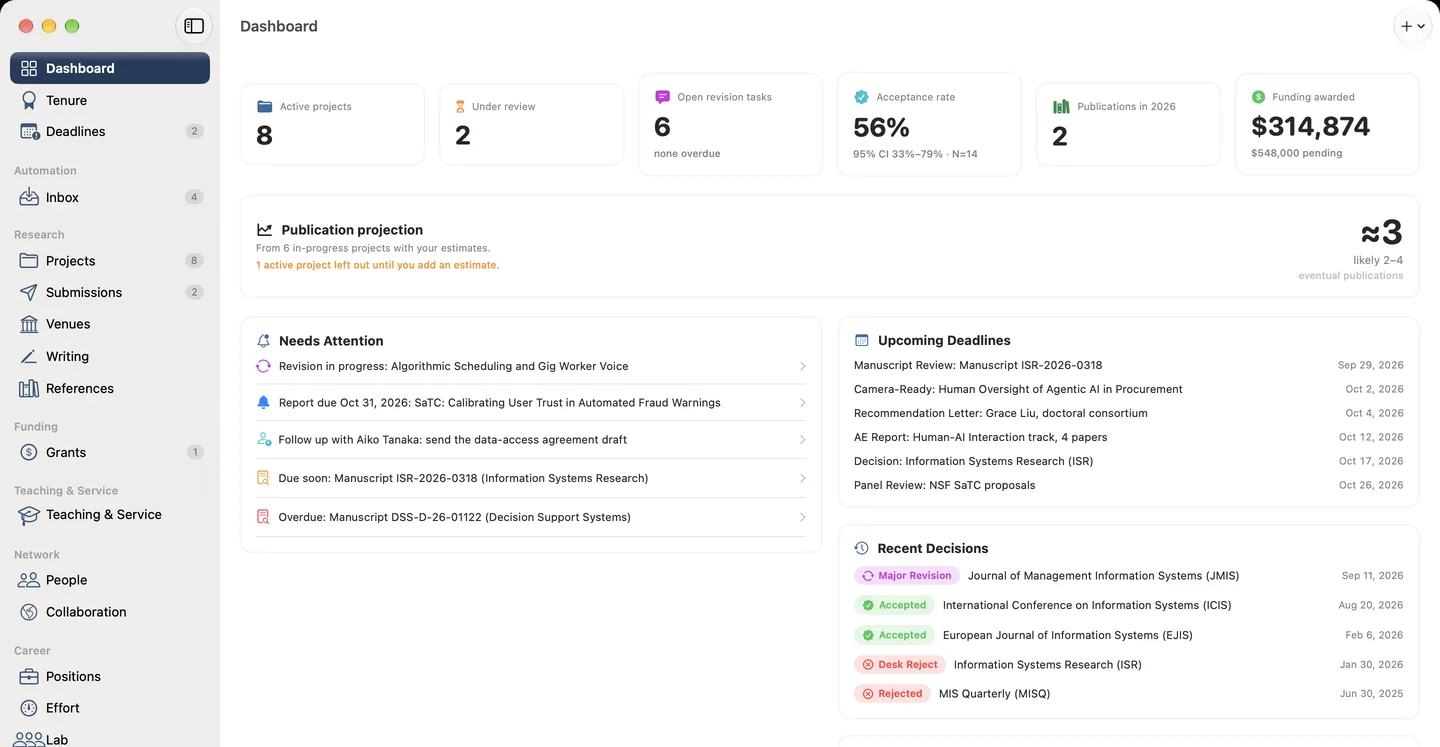
What's inside
Everything an academic needs, nothing they don't
Submission tracking
Log every journal and conference submission with status, dates, each review round, and the decision. Pick target venues with published acceptance rates for about 13,700 journals and conferences, and get a forecast of publication timelines from your own submission history.
Grant management
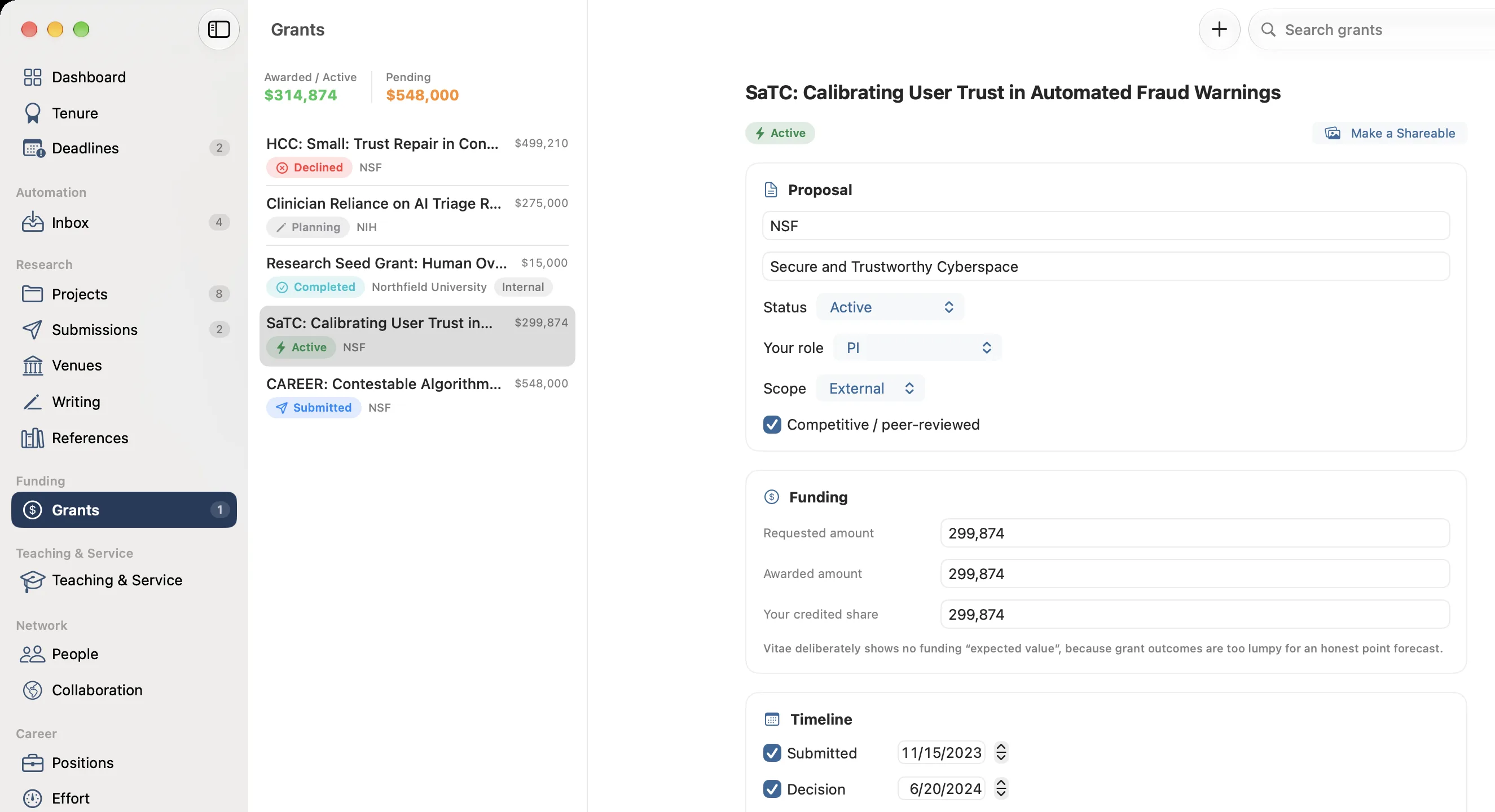
Track NSF, NIH, and other grants from planning to award: deadlines, requested and awarded amounts, reporting dates, and your share. Search Grants.gov for open funding opportunities from inside the app.
CV & packages
Start from the CV you have. Vitae imports it from Word, PDF, RTF, ODT, or a web page, in APA, Chicago, MLA, IEEE, ACM, Harvard, or Vancouver style, reads your papers, grants, positions, talks, teaching and service, and shows you everything before saving. From then on your CV fills itself from your records. Choose from seven CV formats or build your own, and export several at once to PDF, LaTeX, or rich text that opens in Word. Word (.docx) templates are part of Vitae Plus.
Inbox triage
Connect iCloud, Gmail, Outlook, Yahoo, Fastmail, or your university mail, read-only. Vitae recognizes messages from journal submission systems, reads them on your Mac, and proposes submission updates. You review each one before anything changes.
Collaborators, projects & ideas
Track coauthors, collaborators, and projects. Link people to papers, grants, and roles so your network stays navigable. Capture research ideas before they are projects: sort them on a board by stage, group them by type or author, plot them by impact against feasibility, or link them on a map, then make one a project with its authors in order. Send any publication to Zotero in one click.
Local-first & private
Everything is stored on your Mac with SwiftData. No account and no cloud sync required, and keeping your record needs no subscription. Vitae takes a daily backup and lets you undo changes, so a bad import or merge is never permanent.
Watch the tour
Your academic record, in one place
Submissions, grants, projects and co-authors tracked in one local record, with your CV built from it.
A closer look
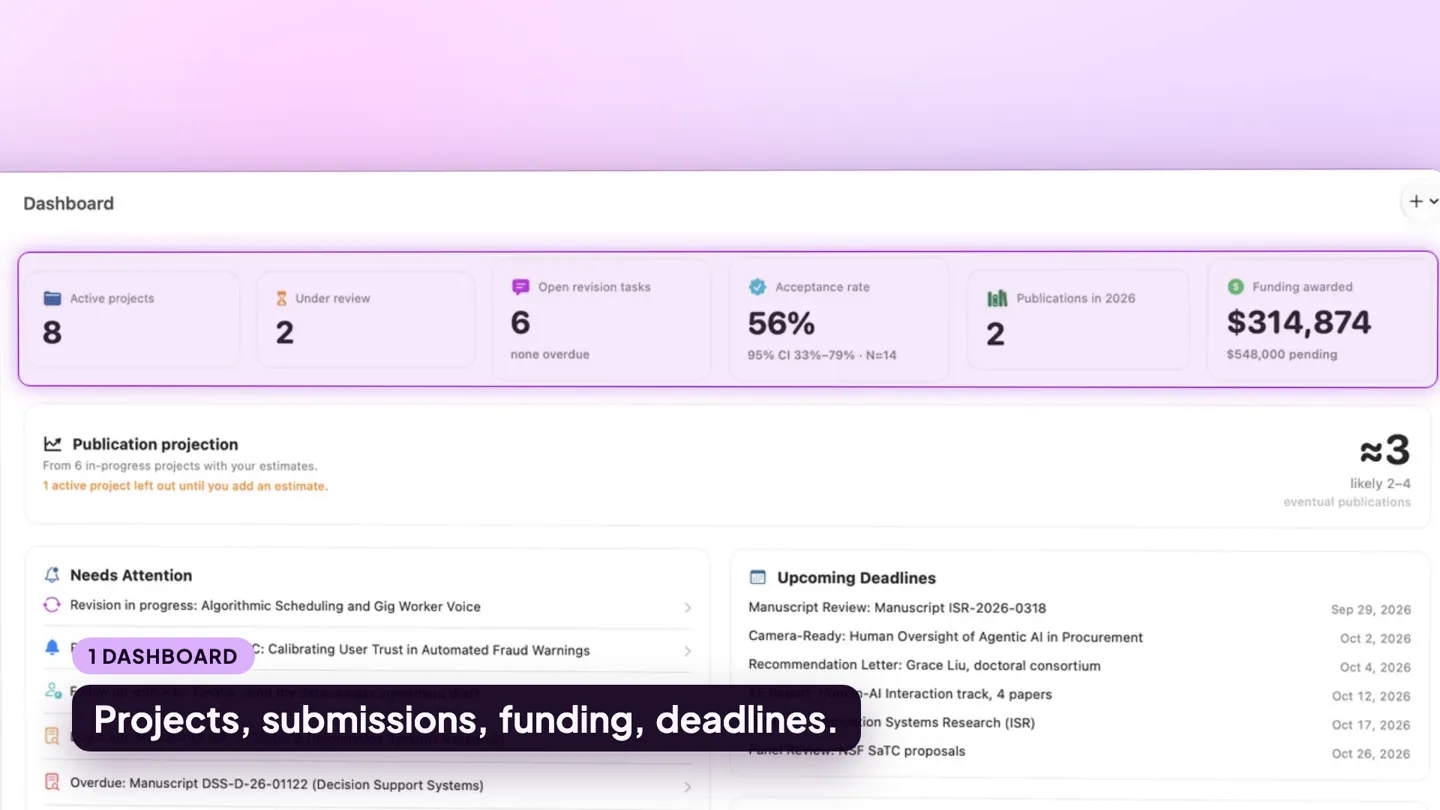
Every submission, every round
One table holds the whole history: venue, date submitted, decision, and your own estimate of the odds. Open a submission to see its review rounds, manuscript versions, cover letter and submission checklist.
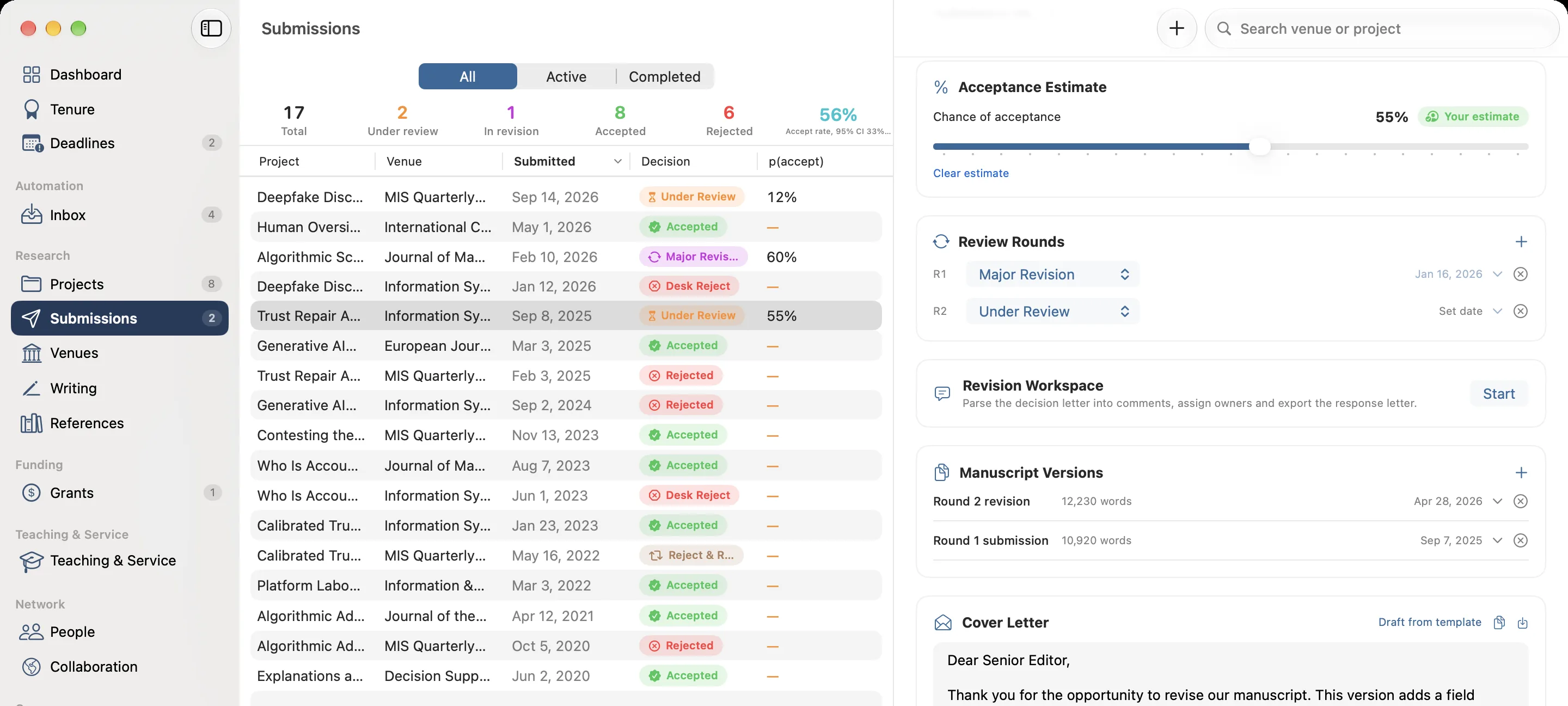
A CV built from your records
Pick a format, a length and a date range, and the CV fills itself from the papers, positions and grants you already track. Export to PDF, LaTeX or rich text.
Grants from proposal to final report
Requested and awarded amounts, your share, the project timeline and each reporting deadline. Awarded and pending totals sit at the top of the list.
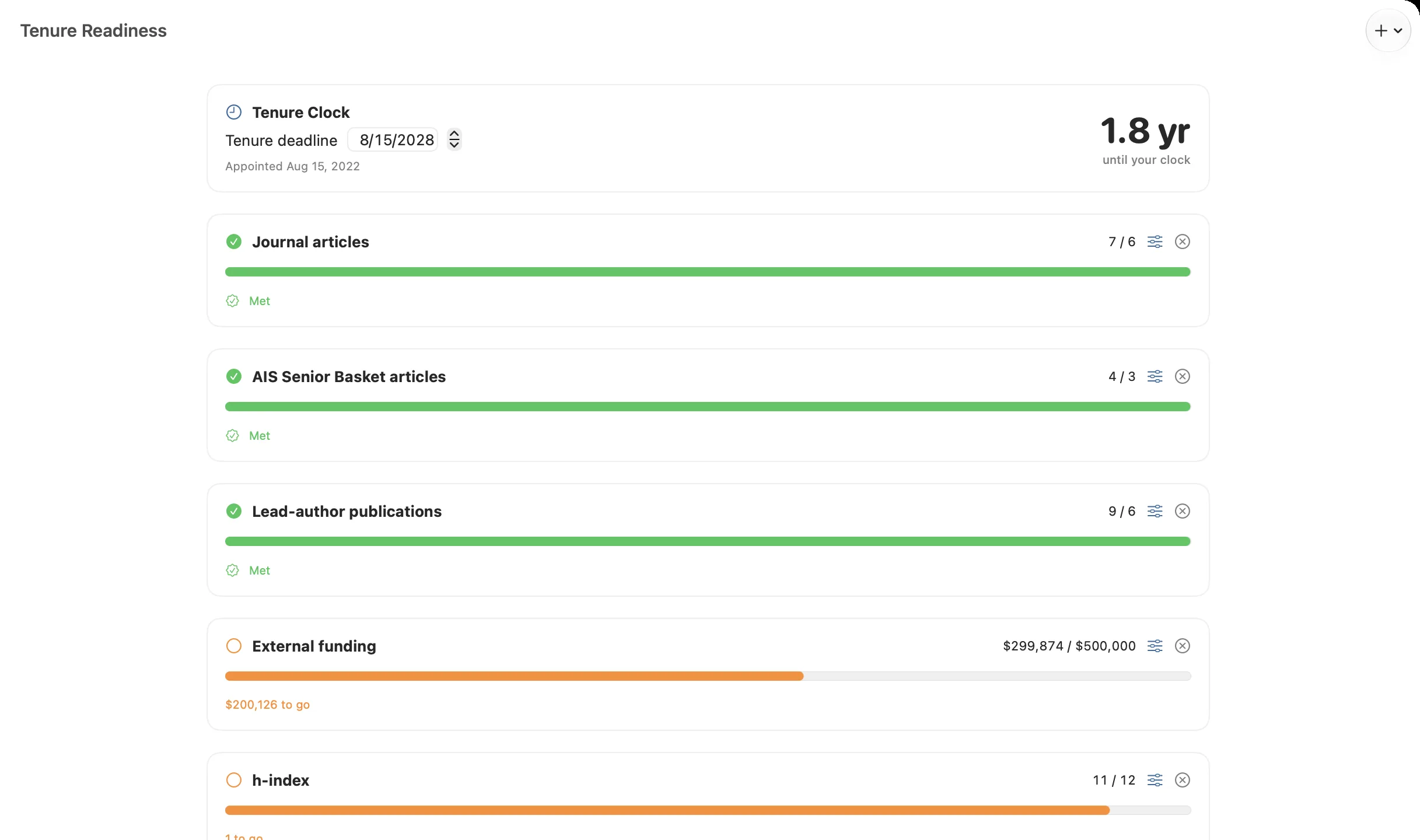
How close you are to tenure
Set your tenure date and your department’s expectations, and Vitae counts your record against each one: articles, lead-author papers, funding, h-index, invited talks and service.
Free & open to support
Vitae is free. If it saves you time, consider supporting it.
All core record-keeping is free, with no limits, and nothing that was free before Plus becomes paid. No third-party ads, no data harvesting. Vitae Plus is an optional subscription, $2.99 a month or $23.99 a year, for newer tools such as reports, Word templates, the revision workspace and Shareables, and it comes with a 7-day free trial. Subscribing, or leaving a one-time tip, helps keep Vitae maintained and updated. Not useful? Email ben@purplelink.llc within 14 days of purchase and it is refunded.