
Researchers submitting to a journal use Purplelink's Cover Letter Generator to produce a draft cover letter from their abstract, without uploading the full manuscript.
Steps
-
Go to purplelink.llc/tools/cover-letter/ and click Buy a draft letter — $2. Stripe handles checkout and redirects you to the compose form.
-
Enter the manuscript title in the Manuscript title field. This is optional, but including it lets the model reference your paper by name in the opening line of the letter.
-
Paste your abstract into the Abstract field. Include everything: objective, methods, findings, conclusion. The model reads this to summarise your methodology and key result. The field accepts up to 5,000 characters.
-
Type the target journal name in the Target journal field. Use the full name rather than an abbreviation: "Journal of the American Medical Association" instead of "JAMA". The model uses this to calibrate the letter's scope and register.
-
Add an optional Author note if you have context the editor needs: suggested reviewers, a conflict of interest to disclose, or the journal section you're submitting to. Keep it to facts rather than requests. Leave it blank if you have nothing to add.
-
Optionally, enter your email address to receive the letter by email when it's ready. The page also polls automatically if you stay on it.
-
Click Generate cover letter. The letter is ready in under a minute.
-
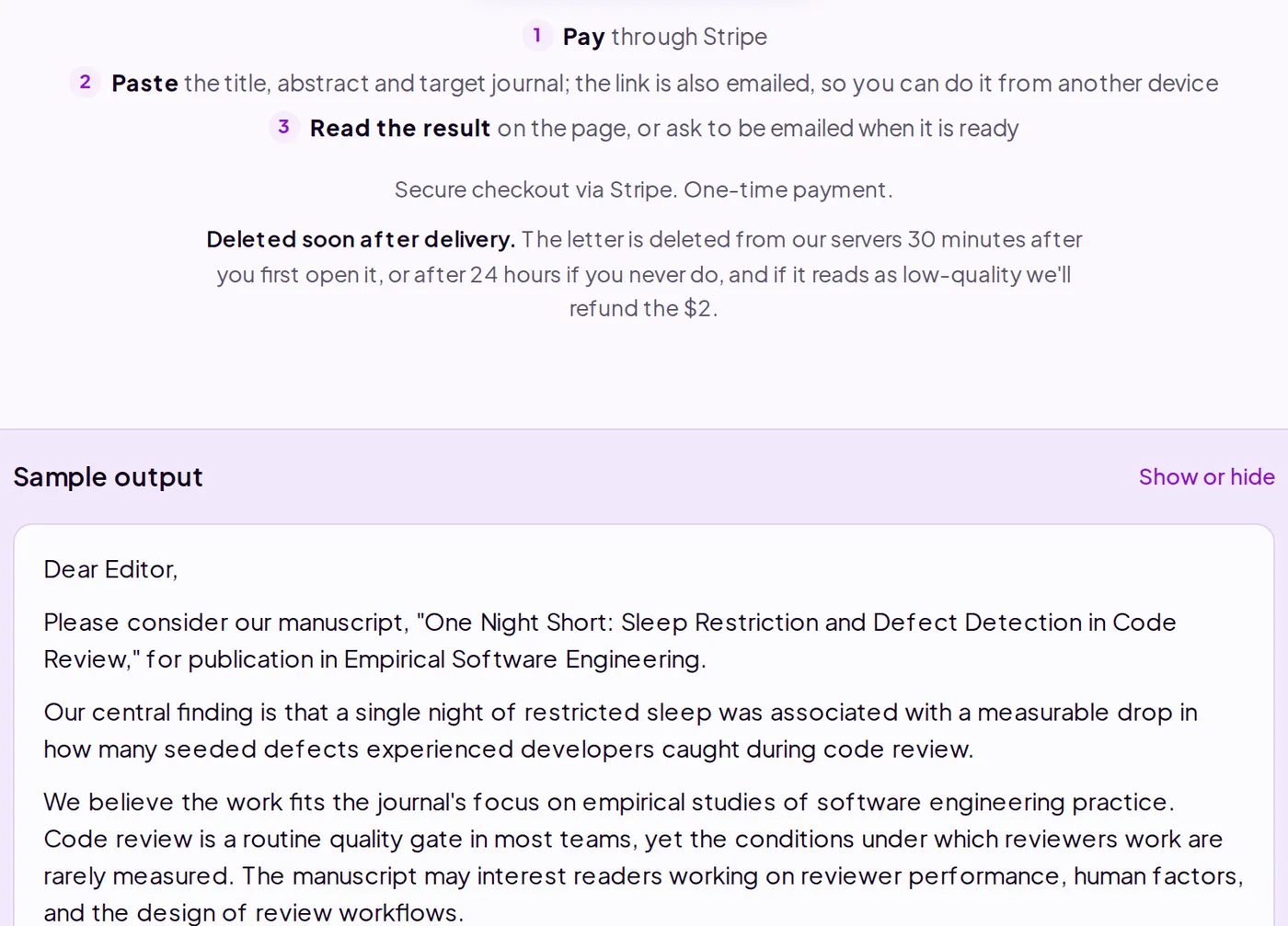
Read the draft. It includes a methodology summary, an originality statement, and a placeholder for your name and signature. Verify the summary against your full manuscript before sending. The model only read your abstract.
-
Copy the letter into your journal's submission portal or paste it into your institution's letterhead template.
What's happening under the hood
The generator sends three inputs to Anthropic's Claude API: your abstract, the journal name, and any author note. No other part of your manuscript is transmitted. The model runs at a low temperature setting, which holds the output to standard academic register rather than varying stylistically across runs. If you listed suggested reviewers in the author note, the model includes them only when your abstract makes the expertise rationale obvious. The letter is deleted from Purplelink's servers 30 minutes after you first open it (or after 24 hours if you never do).
Q&A
The draft doesn't capture the full argument of my paper.
That's expected. The generator only reads your abstract. If the abstract omits a key finding, the letter will too. Revise your abstract first, or edit the draft directly after generating.
Can I get a second version of the same letter?
The tool doesn't offer regeneration. Edit the draft yourself, or buy a second letter and include revision notes in the author note field to guide a different output.
What does Purplelink keep?
Nothing. Your abstract is sent to Anthropic's Claude API, which retains inputs for 30 days for abuse monitoring, not for training. The letter is deleted from our servers 30 minutes after you first open it, or after 24 hours if you never do.
The Cover Letter Generator is at purplelink.llc/tools/cover-letter/.