

Legroom
Legroom shows how much free space your Mac has, warns you before the disk fills, and cleans the folders and developer caches you choose. It runs in the menu bar. Nothing is removed until you have seen a preview and approved it.
The trial runs for seven days from the first time you open it, with no account and nothing to enter. After it ends, the menu-bar readout and the low-space alerts keep working. Buying is a single $9 payment. Not useful? Email ben@purplelink.llc within 14 days of purchase (terms). Version 1.0.0 · 6 MB disk image · macOS 14 or later, Apple silicon and Intel · signed and notarized.
Also in the Mac Suite: ModernTex, Outbound Veil, Legroom and Vitae Plus for life, $49 once.
What it does
It shows free space where you can see it
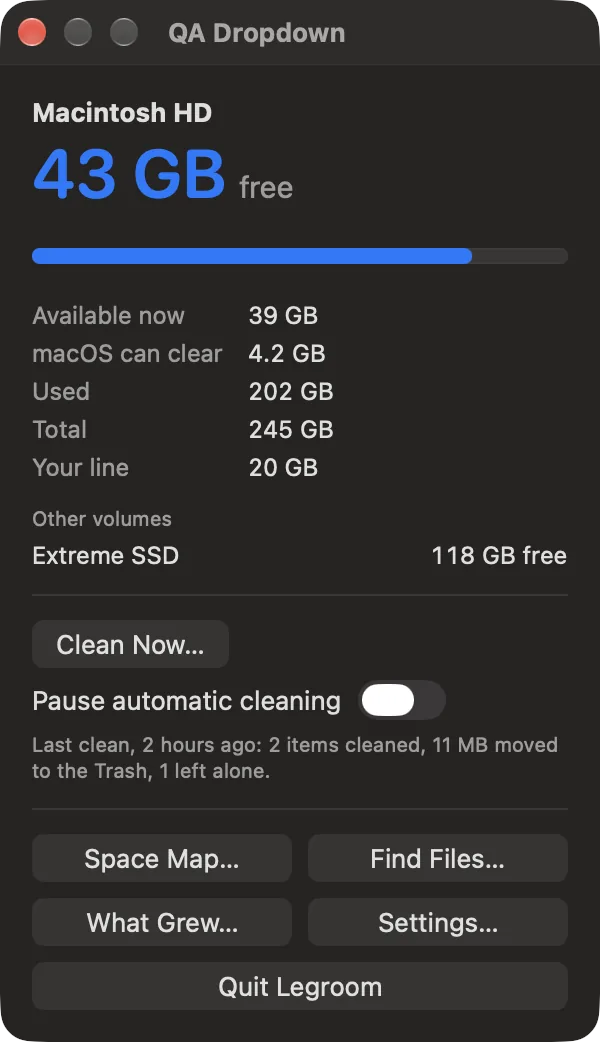
The menu bar shows what is free on your startup disk. The window under it adds the space available now, the space macOS says it can clear, and your other volumes. You set a line, and Legroom warns you when free space drops below it.
It cleans what you tell it to
You make a rule for a folder or a cache. The rule shows a preview of exactly what it would remove, and you approve it. A rule can then run when you ask, on a schedule, or when free space drops below your line. Each rule either moves items to the Trash or deletes them, and says which.
It shows what grew
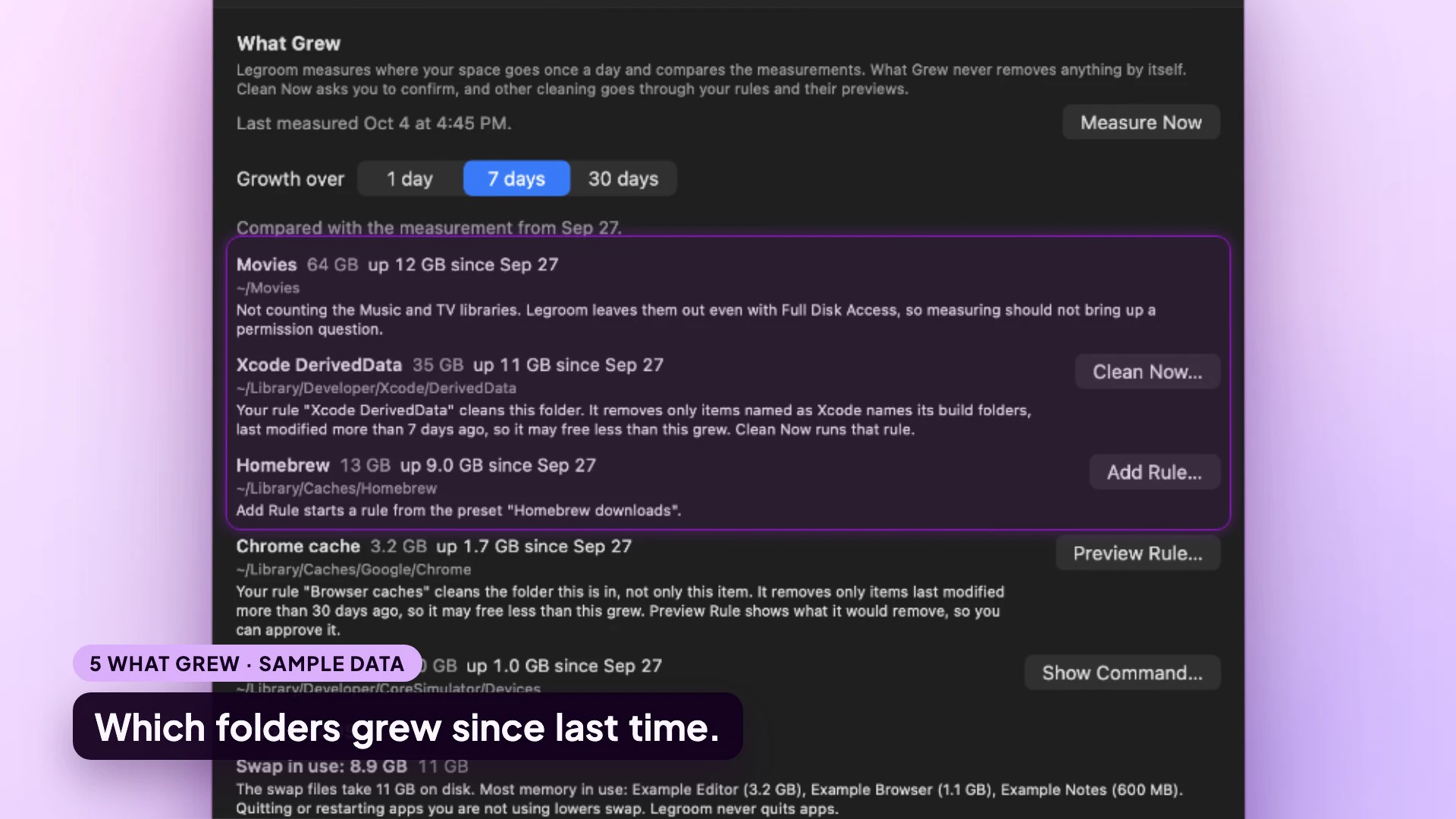
Once a day Legroom measures where your space goes. What Grew compares those measurements over 1, 7 or 30 days, so you can see which folder filled the disk and make a rule for it.
Watch it work
Under a minute, from free space to what grew
The menu-bar readout, a cleaning rule with its preview, What Grew, the Space Map and Find Files. Every screen uses sample data.
A closer look
Every screen below is a capture of the app running on sample data, not on a real Mac.
You approve every clean
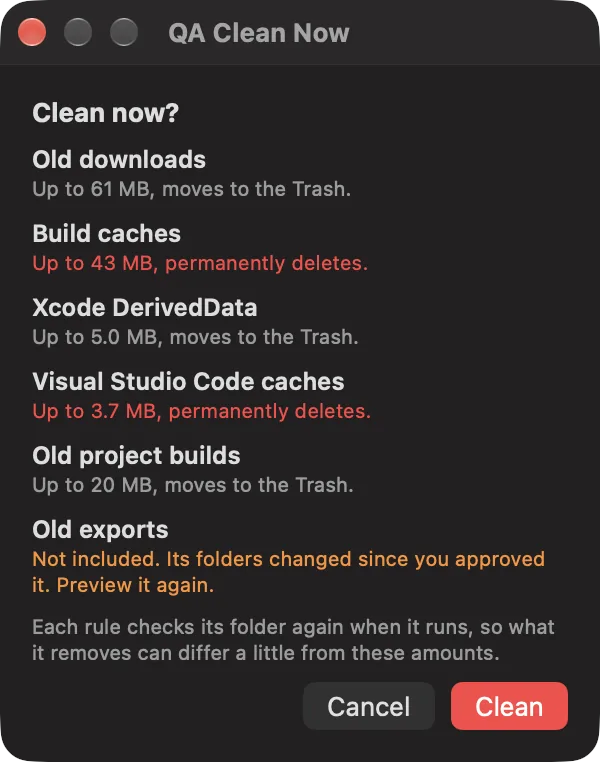
Clean Now lists each rule with the most it would remove and whether that goes to the Trash or is deleted for good. Permanent deletion is shown in red. A rule whose folders changed since you approved it is left out until you preview it again.
What grew since last week
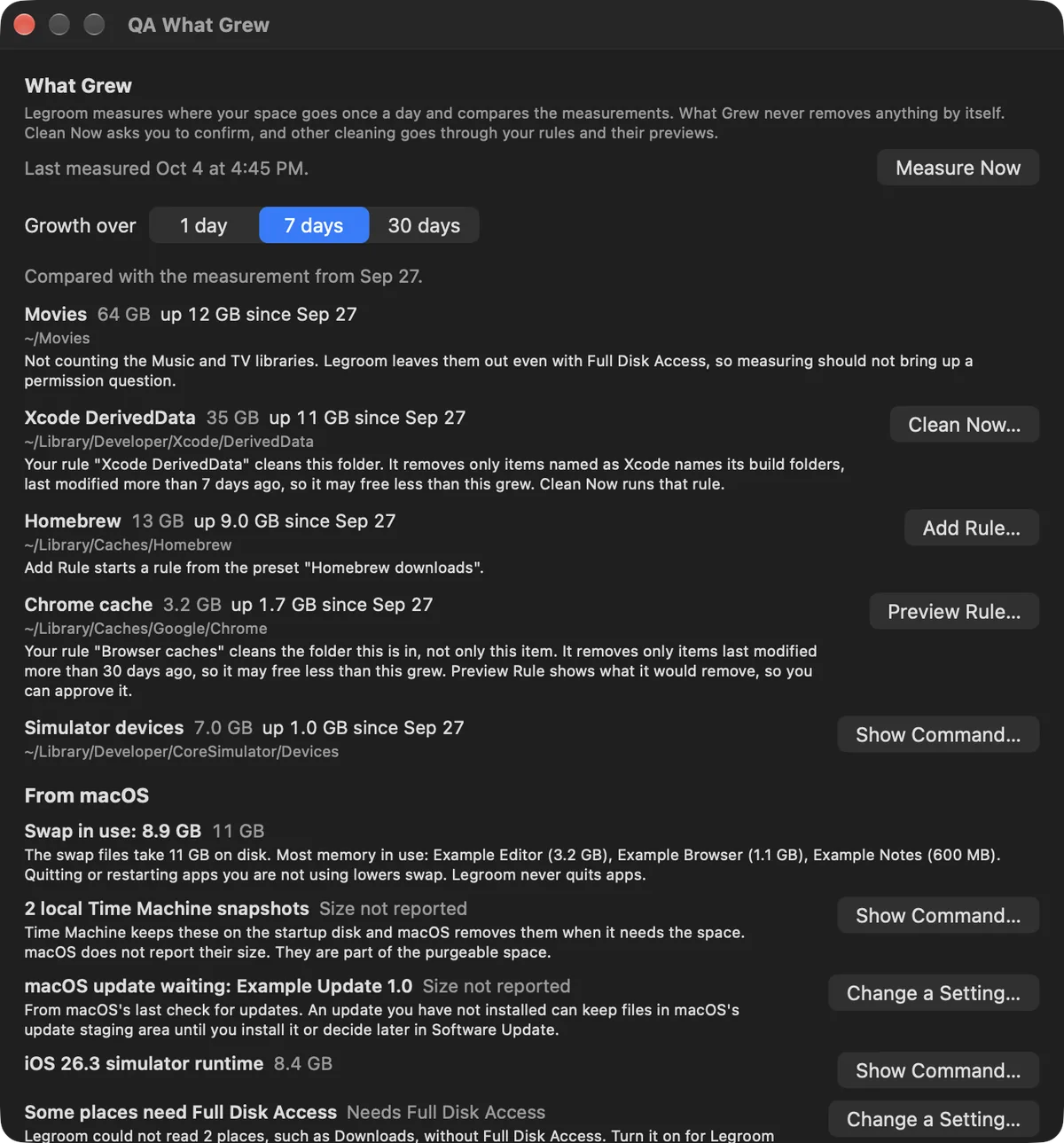
Each folder that grew is listed with its size and its growth, and a button for the next step: clean it now, add a rule, preview a rule or see a command. Items that come from macOS, such as swap and local Time Machine snapshots, are listed separately with what Legroom can and cannot tell you about them.
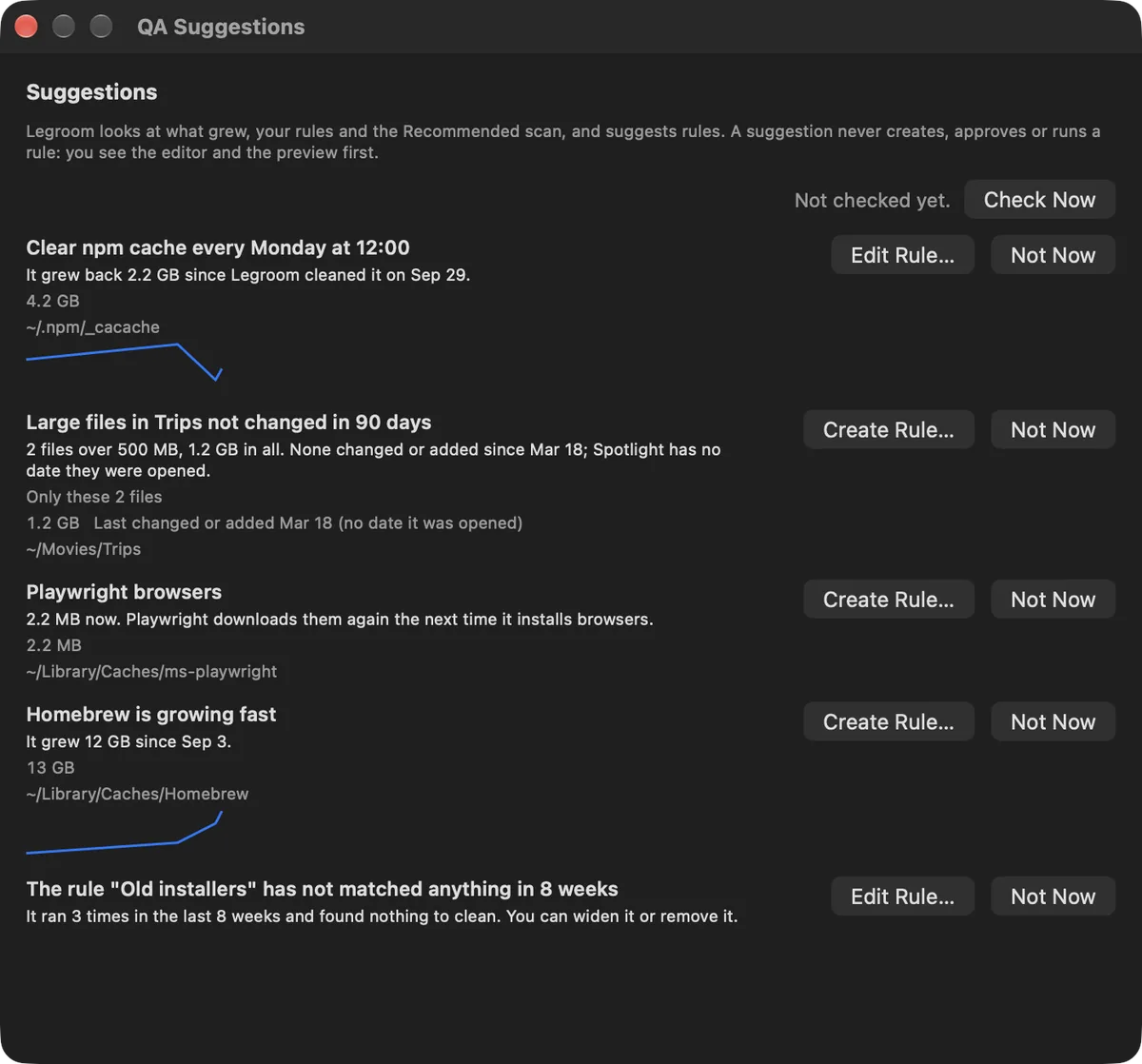
Suggested rules, weekly or monthly
Legroom looks at what grew, at your rules and at its list of known caches, and suggests rules. A suggestion never creates, approves or runs a rule. You see the rule editor and the preview first.
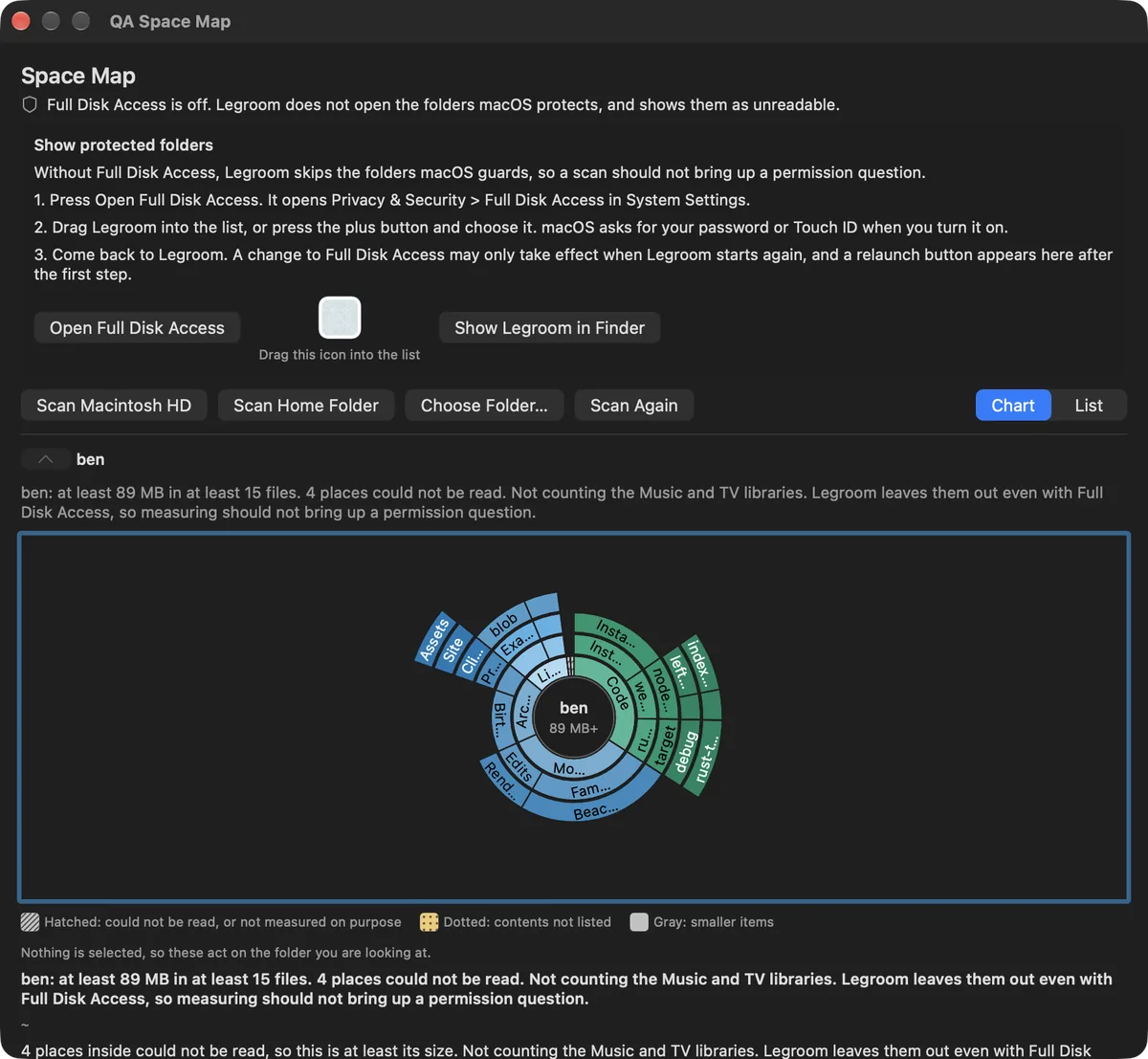
Space Map: where the space went
A chart of a folder or a whole disk, as rings: the centre is the folder you are in, and each ring outward is the folders inside it. Click a section to select it and double-click to look inside. A selected folder can be revealed in Finder, moved to the Trash or turned into a rule. Folders Legroom could not read are drawn hatched, so a gap is never passed off as empty space.
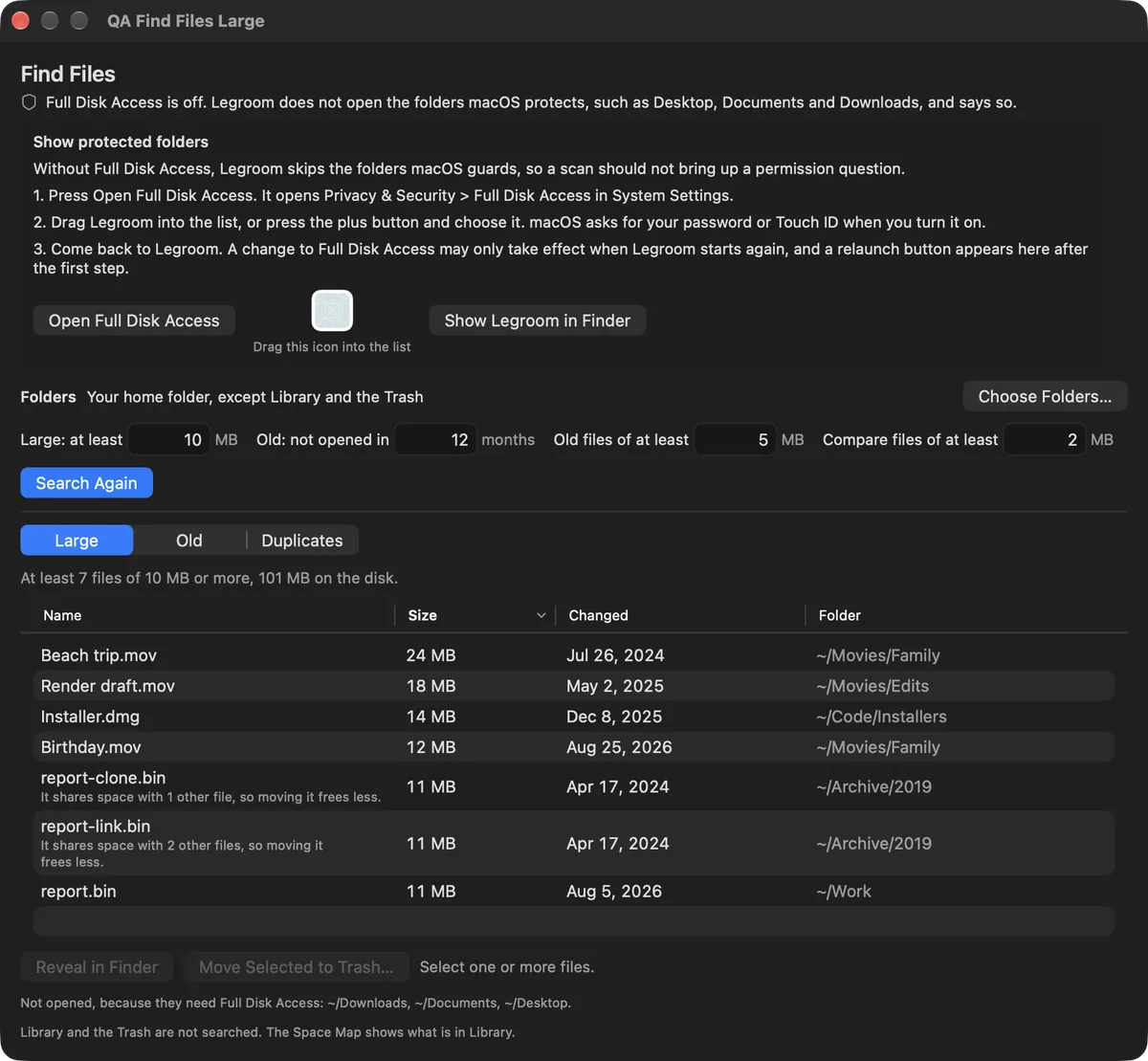
Find Files: large, old and duplicate files
Search your home folder, or folders you choose, for large files, files you have not opened in a long time, and duplicates. For duplicates you choose which copy stays, and at least one copy of every group always stays. Find Files only moves files to the Trash, and only the ones you select.
What is in it
| Menu bar | Free space on the startup disk, the space macOS can clear, your other volumes, and a low-space alert at a line you set. |
|---|---|
| Rules | Folders you choose, with an age limit, a preview and your approval. Run by hand, on a schedule, or when free space drops below your line. A log shows what each run did, and one switch pauses automatic cleaning. |
| Recommended | Caches Legroom knows, such as Xcode DerivedData, Homebrew downloads and the npm cache, and folders that look like caches, labelled when it is not sure. |
| Project scan | Looks through your code projects for old build folders and offers a rule for them. |
| What Grew | A daily measurement of where your space goes, compared over 1, 7 or 30 days. |
| Suggestions | Rule ideas based on what grew, weekly or monthly. |
| Space Map | A sunburst chart of a folder or disk, with Reveal in Finder, Move to Trash and Add as a Rule. |
| Find Files | Large, old and duplicate files. Trash only, and one copy of every duplicate always stays. |
What it does not do
| Speed | It does not make your Mac faster. It frees disk space and does nothing else to performance. |
|---|---|
| System files | It does not clean inside system folders and the folders that hold your documents and settings. |
| Commands | It does not run commands. Where a fix needs Terminal, such as removing local Time Machine snapshots, it shows the command as text and you decide whether to run it. |
| Hidden space | It does not scan as an administrator, so some space it cannot measure, such as local Time Machine snapshots. It lists those as size not reported rather than guessing. |
| Unseen deletions | It does not remove anything you have not previewed and approved, and it does not remove duplicates without leaving one copy. |
| The cloud | There is no cloud, no account and no sync. Your measurements, rules and log stay on your Mac. |
Privacy
Legroom has no account and no analytics. Your daily measurements, your rules, the log of what was cleaned and the trial clock are stored on your Mac and are not sent anywhere. Apart from two things, Legroom does not use the network. The Buy button opens this page in your browser. And the paid build, once a day, asks this site for its update feed: that request carries the app's name and version and an update token that marks it as the paid build, plus what any web request carries, such as your IP address. It does not carry your files, your measurements or a profile of your Mac. The trial build has no update check. Legroom asks for Full Disk Access only if you choose to give it, so it can read folders such as Desktop, Documents and Downloads. Details are on the privacy page.
Frequently asked questions
What does it need to run?
Does it delete anything on its own?
Does it make my Mac faster?
Does it need Full Disk Access?
Does it send my files or measurements anywhere?
What happens when the trial ends?
Are updates included?
Can I get a refund?
How do I get help?
Try it for a week.
Seven days of the full app, with no account and nothing to enter. Then decide whether to keep it.
macOS 14 or later · Apple silicon and Intel · Signed and notarized