
What it means
LaTeX found a \cite key with no matching entry in the bibliography data it read on this run, so it printed a question mark in place of the citation. This is a warning, not an error, and the build finishes. At the end of the log LaTeX adds the summary line There were undefined references. The cause is either a missing step in the build (BibTeX or Biber was not run, or LaTeX was not run again afterwards) or a key that does not exist in the .bib file.
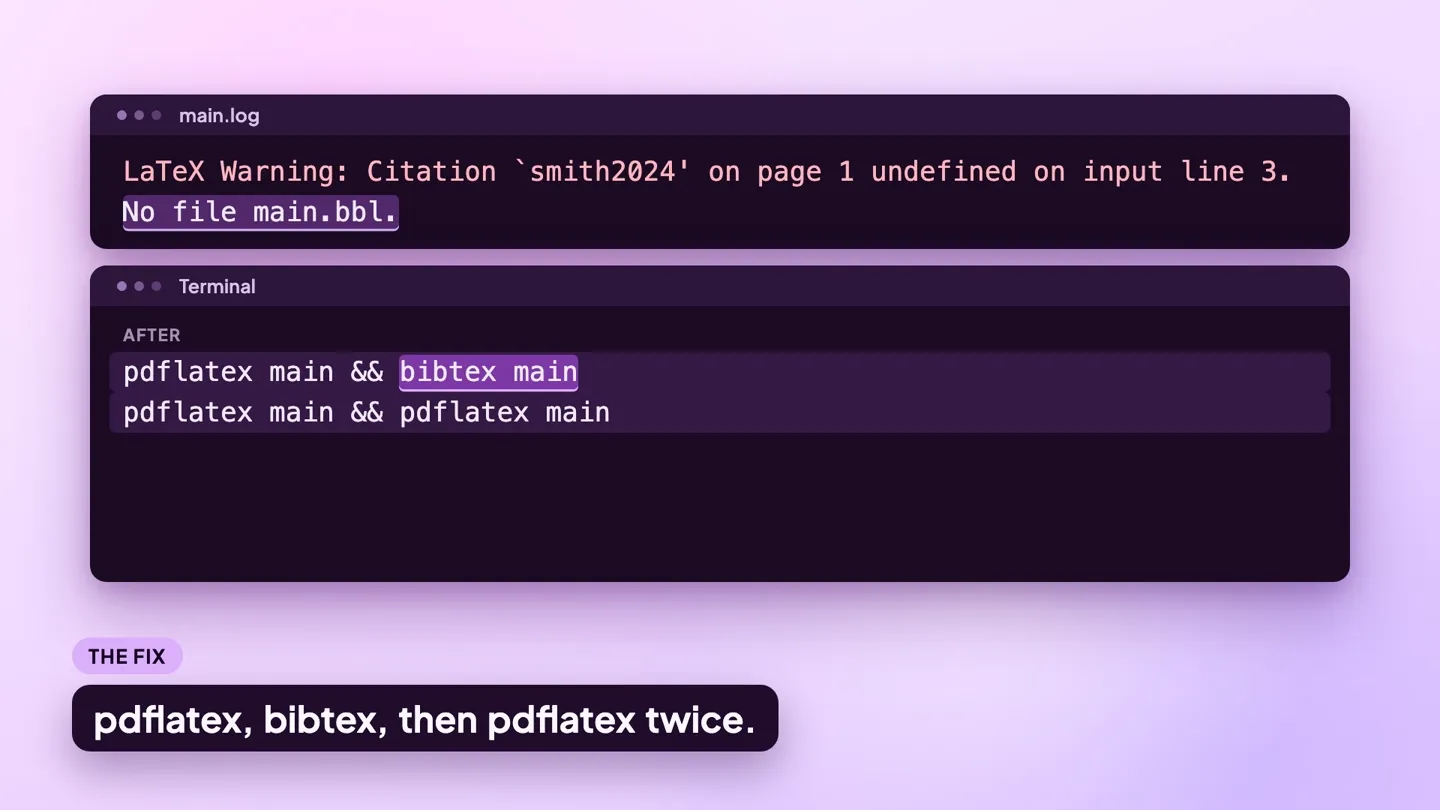
The log line
This small file triggers the warning:
\documentclass{article}
\begin{document}
Earlier work \cite{smith2024} found the same pattern.
\bibliographystyle{plain}
\bibliography{refs}
\end{document}
Compiled with pdfLaTeX (TeX Live 2026), it writes this to the .log file:
LaTeX Warning: Citation `smith2024' on page 1 undefined on input line 3.

No file main.bbl.
and, at the end of the log:
LaTeX Warning: There were undefined references.The warning gives the key, the page and the source line: \cite{smith2024} on line 3. The line after it, No file main.bbl, is the real clue in this run. The .bbl file is what BibTeX writes, and it does not exist yet, so BibTeX has not been run. The second excerpt is the summary line from the end of the same log.
To try a fix without touching your project, save the example as a .tex file and compile it online with the LaTeX to PDF tool.
Why it happens
The causes below are in order of likelihood. Each has a before and an after you can compare with your own source.
1. BibTeX has not been run, or LaTeX was not run again after it
Citations need four steps. The first LaTeX run writes the keys to the .aux file, BibTeX turns them into a .bbl file, and two more LaTeX runs read it and settle the numbers. Stopping after BibTeX and one LaTeX run still leaves the warning. latexmk and most editors run the whole sequence for you.
Before (in a terminal)
pdflatex mainAfter (in a terminal)
pdflatex main && bibtex main
pdflatex main && pdflatex main
2. The key does not match any entry in the .bib file
A typo in the key, or a key from another project. BibTeX's own log, the .blg file, says so: Warning--I didn't find a database entry for "smith2042". To list the keys in a .bib file and catch duplicates and broken entries, run it through the BibTeX validator.
Before
\cite{smith2042}
% the entry in refs.bib is @article{smith2024, ...
After
\cite{smith2024}3. \bibliography points at the wrong file
The argument is the .bib file name without its extension. If it is wrong, the .blg file reads I couldn't open database file references.bib and every citation stays undefined.
Before
\bibliography{references}
% the file on disk is refs.bib
After
\bibliography{refs}4. A biblatex document processed with BibTeX
With \usepackage[backend=biber]{biblatex} the bibliography step is Biber, not BibTeX. BibTeX finds nothing to do and reports I found no \citation commands. biblatex writes the warning with straight quotes: Citation 'smith2024' on page 1 undefined.
Before (in a terminal)
pdflatex main && bibtex mainAfter (in a terminal)
pdflatex main && biber main
pdflatex main && pdflatex main
5. The summary line comes from a \ref, not a \cite
There were undefined references also covers cross-references. Scroll up for LaTeX Warning: Reference `fig:trend' on page 1 undefined: the \label is missing or spelled differently.
Before
Figure \ref{fig:trend} shows the trend.
% the figure has \label{fig:trends}
After
Figure \ref{fig:trends} shows the trend.How to find the line
A warning has no l. marker and no ? prompt. The line number is inside the message: on input line 3. For the cause, read two other files. The .blg file is BibTeX's own log and lists the keys it could not find and the entries it could not parse. The .bbl file is what BibTeX produced. If your key is not in it, LaTeX cannot resolve the citation.
Because this is a warning, TeX does not stop for it even in a terminal run. The message scrolls past and the only record is the .log file, so search that file for a word from the message, such as Overfull or undefined.
What each editor shows:
- ModernTex: the Build Results panel lists warnings and notes as well as errors, in plain language, and Raw Log shows the full LaTeX log. For a biblatex project, the Compile Engine & Profile window has a switch named Use biber for bibliography. Turn it on and run one Full build so the references resolve. See ModernTex.
- Overleaf: the logs panel, opened with the button next to Recompile, lists each error and warning with its file and line, and the editor marks the line in the gutter. The unprocessed log is at the bottom of that panel.
- TeXShop: the build does not stop for a warning. Scroll the console window, or open the
.logfile next to your source, and search for a word from the message, such asOverfullorundefined.
Related errors
- Misplaced alignment tab character &: an
&in a.bibfield stops the build when the.bblis read. - Runaway argument: what a truncated
.auxor.bblfile produces. - File `x.sty' not found: when the bibliography package itself is missing.