
What it means
TeX met something that is only allowed in math mode, such as _, ^ or a math command like \beta, while it was setting ordinary text. It inserted a $ to switch into math mode and carried on. The same message appears the other way round when math mode has to end unexpectedly, for example at a blank line inside a formula. After the inserted $, a stretch of your text is usually set in math italics with the spaces removed.
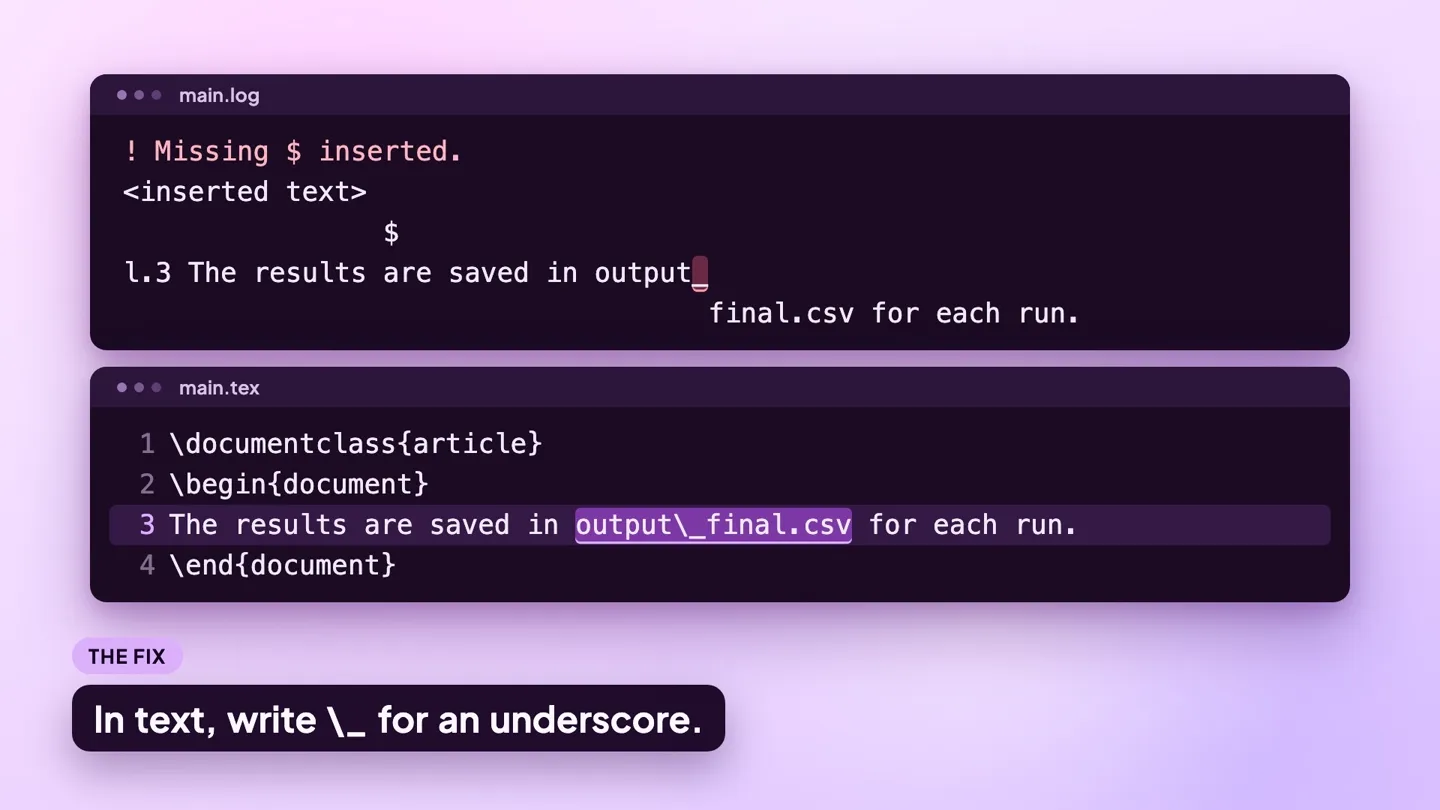
The log line
This small file triggers the error:
\documentclass{article}
\begin{document}
The results are saved in output_final.csv for each run.
\end{document}
Compiled with pdfLaTeX (TeX Live 2026), it writes this to the .log file:
! Missing $ inserted.
<inserted text>
                $
l.3 The results are saved in output_
                                    final.csv for each run.
I've inserted a begin-math/end-math symbol since I think
you left one out. Proceed, with fingers crossed.
<inserted text> followed by $ is TeX reporting what it added. The l.3 line breaks right after the character that caused it, here the underscore in output_final.csv. In text, an underscore has to be written \_.
To try a fix without touching your project, save the example as a .tex file and compile it online with the LaTeX to PDF tool.
Why it happens
The causes below are in order of likelihood. Each has a before and an after you can compare with your own source.
1. An underscore in ordinary text
File names, variable names and identifiers pasted from code contain underscores. Outside math mode each one must be escaped.
Before
The results are saved in output_final.csv for each run.After
The results are saved in output\_final.csv for each run.2. A math command used outside math mode
Greek letters and symbols such as \beta, \leq and \times exist only in math mode. Wrap them in $...$.
Before
The coefficient \beta is positive.After
The coefficient $\beta$ is positive.3. A caret or superscript typed in text
^ is the superscript character and has no meaning in text. Put the exponent in math mode, or use \textsuperscript{2}.
Before
The plot covers 20 m^2 of floor area.After
The plot covers 20 m$^2$ of floor area.4. A dollar sign used as a currency symbol
A lone $ opens math mode, and TeX only notices that it was never closed when the paragraph ends. The l. line then points at the end of the paragraph, not at the dollar sign. Write \$.
Before
The fee is $20 per submission.After
The fee is \$20 per submission.5. A blank line inside a displayed formula
A blank line ends a paragraph, and a paragraph cannot end in the middle of math. Remove the blank line, or comment it out with % if you want the visual gap in the source.
Before
\[ y = \alpha + \beta x

+ \varepsilon \]
After
\[ y = \alpha + \beta x
+ \varepsilon \]
How to find the line
When the cause is an underscore, a caret or a math command, the character just before the break in the l. line is the trigger. When the cause is an unclosed $ or a blank line in a formula, the l. line points at the end of the paragraph or at the blank line, and the real mistake is earlier. Search backwards from that line for an odd number of $ signs.
When you run pdflatex in a terminal without -interaction=nonstopmode, TeX stops at the error and prints a ? prompt. Press Return to carry on past the error, type x to quit, or type h for TeX's own help text, which is the paragraph you see after the l. line in the log. Editors run TeX in non-stop mode, so you get the log and never see the prompt.
What each editor shows:
- ModernTex: when a build fails, the Build button shows the error count and the last good PDF stays on screen. The Build Results panel lists each error, warning and note in plain language, Compile › Next Issue steps through them, and Raw Log shows the full LaTeX log. See ModernTex.
- Overleaf: the logs panel, opened with the button next to Recompile, lists each error and warning with its file and line, and the editor marks the line in the gutter. The unprocessed log is at the bottom of that panel.
- TeXShop: the console window shows the log as it is written and stops at the error. Goto Error moves the source window to the line. TeXShop's default pdfLaTeX command includes
--file-line-error, so the same error starts with the file and line in place of the!:./main.tex:3: Missing $ inserted.
Related errors
- Misplaced alignment tab character &: the matching error for a bare
&in text. - Too many }'s / Missing } inserted: when a brace inside a formula is not closed before the
$. - Undefined control sequence: when the math command itself is unknown.