
What it means
TeX read a backslash followed by a name it has no definition for. A control sequence is TeX's term for a command such as \emph or \section. Either the name is misspelled, or it is defined by a package or class that is not loaded, or it was never meant to be a command at all, as with a backslash in a file path. TeX drops the unknown command and carries on, so a PDF may still appear, but whatever the command was meant to do is missing from it.
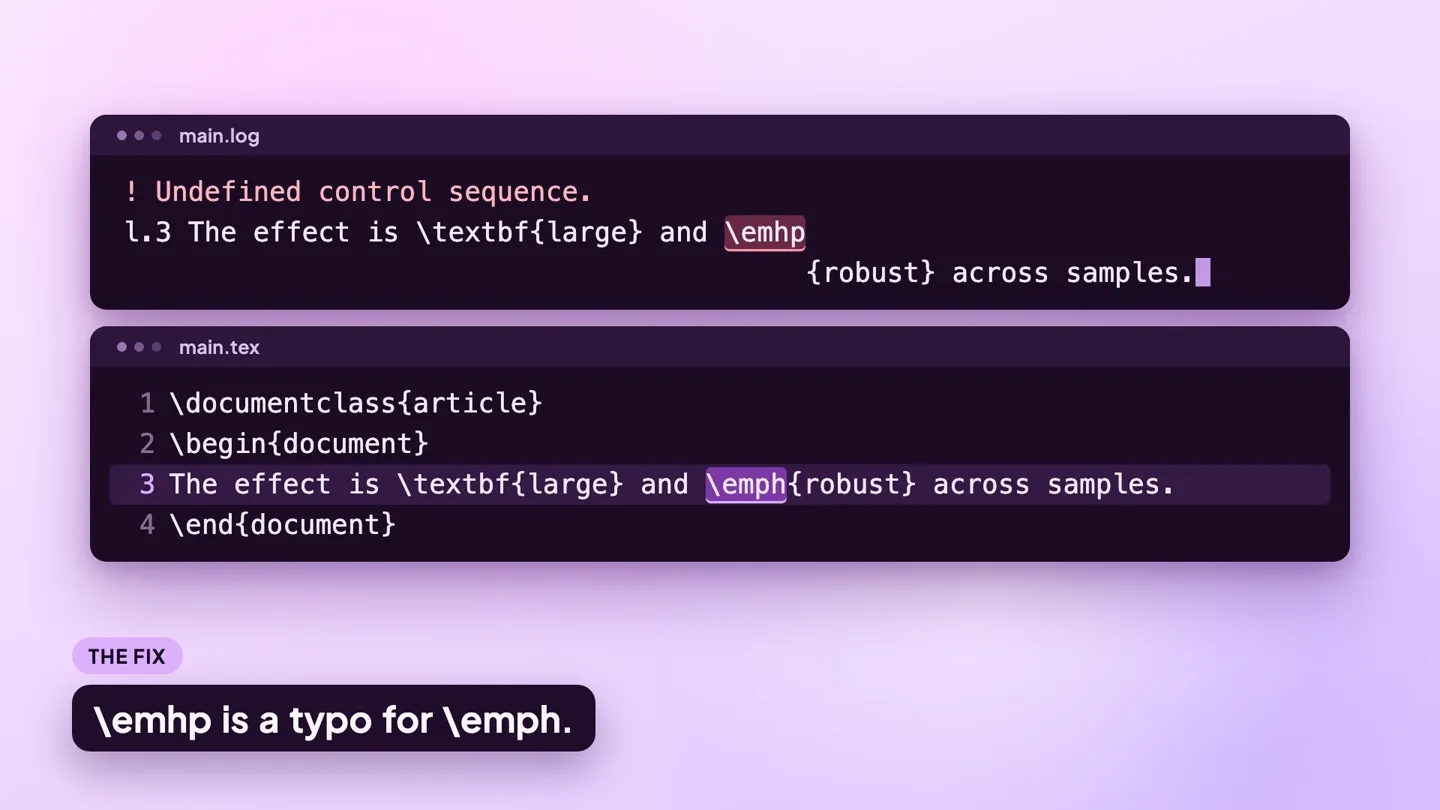
The log line
This small file triggers the error:
\documentclass{article}
\begin{document}
The effect is \textbf{large} and \emhp{robust} across samples.
\end{document}
Compiled with pdfLaTeX (TeX Live 2026), it writes this to the .log file:
! Undefined control sequence.
l.3 The effect is \textbf{large} and \emhp
                                          {robust} across samples.
The control sequence at the end of the top line
of your error message was never \def'ed. If you have
misspelled it (e.g., `\hobx'), type `I' and the correct
spelling (e.g., `I\hbox'). Otherwise just continue,
and I'll forget about whatever was undefined.
The line that starts with l.3 is line 3 of the file. TeX splits that line in two at the point where it stopped reading. The unknown command is the last thing on the upper half, here \emhp, a typo for \emph. The lower half, indented so that it starts where the upper half ends, is the text TeX had not read yet. The remaining lines are TeX's built-in help for this error.
To try a fix without touching your project, save the example as a .tex file and compile it online with the LaTeX to PDF tool.
Why it happens
The causes below are in order of likelihood. Each has a before and an after you can compare with your own source.
1. A misspelled command name
The most common cause by far. Compare the command at the break in the l. line with what you meant to type.
Before
\secton{Methods}
We use two samples.
After
\section{Methods}
We use two samples.
2. The package that defines the command is not loaded
The spelling is right, but the command belongs to a package. \includegraphics needs graphicx, \text needs amsmath, \toprule needs booktabs, \textcolor needs xcolor. Add the \usepackage line to the preamble.
Before
% preamble has no \usepackage{xcolor}
\textcolor{red}{Check this number.}
After
\usepackage{xcolor} % in the preamble
\textcolor{red}{Check this number.}
3. A command runs into the text after it
TeX reads letters after a backslash for as long as it finds letters. Without a space, \alpha followed by x becomes the single unknown command \alphax.
Before
The slope is $\alphax + \beta$.After
The slope is $\alpha x + \beta$.4. A backslash that was meant as plain text
Windows paths and anything else pasted with backslashes in it are read as commands. Print a literal backslash with \textbackslash.
Before
Saved to C:\data\results on the lab machine.After
Saved to \texttt{C:\textbackslash data\textbackslash results} on the lab machine.5. A command from another class or template
Commands such as \affiliation exist only in certain classes. Text copied from a journal template into the article class brings commands that article does not define. Use the class the text was written for, or replace the command with one your class has.
Before
\affiliation{Georgia State University}After
\author{Jane Smith \\ Georgia State University}How to find the line
The command to look at is always the last one before the break in the l. line. If it looks correct, the definition is what is missing, so check which package provides it. If lines of macro code appear between the ! line and the l. line, the unknown command is inside another command's definition, and the l. line shows where in your file that command was used.
When you run pdflatex in a terminal without -interaction=nonstopmode, TeX stops at the error and prints a ? prompt. Press Return to carry on past the error, type x to quit, or type h for TeX's own help text, which is the paragraph you see after the l. line in the log. Editors run TeX in non-stop mode, so you get the log and never see the prompt.
What each editor shows:
- ModernTex: when a build fails, the Build button shows the error count and the last good PDF stays on screen. The Build Results panel lists each error, warning and note in plain language, Compile › Next Issue steps through them, and Raw Log shows the full LaTeX log. See ModernTex.
- Overleaf: the logs panel, opened with the button next to Recompile, lists each error and warning with its file and line, and the editor marks the line in the gutter. The unprocessed log is at the bottom of that panel.
- TeXShop: the console window shows the log as it is written and stops at the error. Goto Error moves the source window to the line. TeXShop's default pdfLaTeX command includes
--file-line-error, so the same error starts with the file and line in place of the!:./main.tex:3: Undefined control sequence.
Related errors
- LaTeX Error: Environment x undefined: the same problem for
\begin{...}names. - File `x.sty' not found: when the package you add is not installed.
- Missing $ inserted: when a math command is known but used outside math mode.